![Diane Poremsky [Outlook MVP]](http://www.outlook-tips.net/images/2014/MVP_BlueOnly.png)
We’re seeing a lot of complaints about News Feed folders reproducing like rabbits in Outlook 2010’s folder list. This folder is used by the new ‘social connector’ but to date, the news feed in the People Pane only works with Sharepoint 2010. For some reason, some users (possibly those with only a Hotmail/Live account in their profile) have multiple News Feed folders.
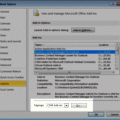
To stop the creation, disable the social connector in Options, Trust Center, Addins.
To delete the folders, restart Outlook, then delete the News Feed folders. It’s usually faster to drag the folders into one folder then delete that folder (or drag them to the deleted items folder and empty it) than it is to delete the folders one at a time.
Published January 15, 2010. Last updated on June 17, 2011.