![Diane Poremsky [Outlook MVP]](http://www.outlook-tips.net/images/2014/MVP_BlueOnly.png)
 A reader asks
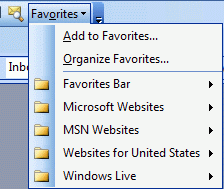
"Is there a way to have the "Favorites" (the Internet Explorer "Favorites") show up again in both Word and in Outlook, like it did in Office 97?"
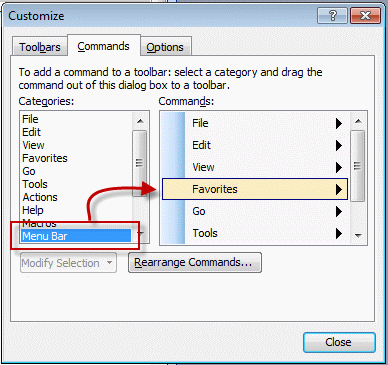
Open the Tools, Customize dialog, look on the Commands tab and locate the Favorites command under Menu bar category – drag it to the menu or toolbar location where you want to place it.
Ignore the Favorites category listing in Outlook; it only has Add to and Organize favorites, not the actual Favorites menu.
If you want to add the Favorites menu to Word's toolbar, look Web category, on the Customize dialog, Commands tab in Word.
Published November 16, 2004. Last updated on August 15, 2012.