![Diane Poremsky [Outlook MVP]](http://www.outlook-tips.net/images/2014/MVP_BlueOnly.png)
I receive a few question each month asking about older email that is missing, or unexpectedly small ost files.In order to accommodate SSD drives, which tend to be smaller, Outlook 2013 can be configured to sync only newer messages, leaving the older messages online. This is great for tablets and ultrabook laptops but leads to confusion when the user isn't familiar with … [Read more...] about Tip 1128: Outlook 2013 and the Sync Slider
accounts
Tip 964: Managing "old" email accounts
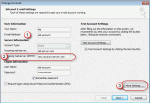
A visitor had a question about how to forward mail from an old account to another account. This is a fairly common question that comes up when people leave their employer, graduate, switch to a new ISP, or decide to make their life easier by using fewer email addresses. I have an email account I no longer use. I may still receive emails to that account for a few months. Can … [Read more...] about Tip 964: Managing "old" email accounts
550 5.7.1 Relaying denied: You must check for new mail before sending mail.
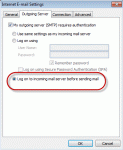
If you receive this error message: 550 5.7. < alias@domain.com >... Relaying denied: You must check for new mail before sending mail. You need to configure Outlook to check for new mail before sending mail. Lowering your "check every xx minutes" time to 8 minutes or disabling Send Immediately may reduce the frequency of this error message. This error occurs because … [Read more...] about 550 5.7.1 Relaying denied: You must check for new mail before sending mail.
How to Access Account Settings in Outlook 2010
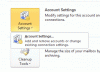
Outlook 2010 adds a bit of confusion for users trying to access Account Settings: you need to go to File, Account Settings and the select the account settings from a flyout menu. The problem is that is easily overlooked because it blends into the page so well, especially when you don't have an Exchange account in your profile. Notice the tiny arrow on the Account Settings … [Read more...] about How to Access Account Settings in Outlook 2010
Tip 876: Fixed in SP1: Outlook 2010 & default IMAP accounts
Update: This hotfix is included in Outlook 2010 SP1. See Default account fix for more information and the required registry setting. The issue: When clicking on a "mailto:" on a web page or using the Send to command in other applications, Outlook opens a new email. In Outlook 2010, when the default account is an IMAP account, it uses the account assigned to the default … [Read more...] about Tip 876: Fixed in SP1: Outlook 2010 & default IMAP accounts