![Diane Poremsky [Outlook MVP]](http://www.outlook-tips.net/images/2014/MVP_BlueOnly.png)
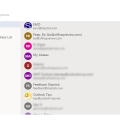
As many users have noticed, Outlook on the web, including both Outlook.com and Office 365 business accounts, changed the sort order of Contacts in the address book that comes up when you click the To or CC button.The contacts are in a weird sort order – supposedly most frequent contacts – but one that makes little sense to many users. There is no search or filter capability … [Read more...] about Outlook on the web Address Book sort order
address book
iCloud Contacts are not showing in Address Book
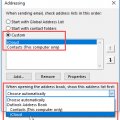
My problem is with the iCloud contacts in the Address Book. The contacts are not to be found in the Address Book or any reference to them under Account Settings - Address Books. Well, they won't be listed separately in File, Account Settings, Address books. The iCloud Contacts are part of the Outlook Address Book. If you double click on the Outlook Address Book, you'll see a … [Read more...] about iCloud Contacts are not showing in Address Book
Creating a Mail Merge to Labels in Microsoft Outlook
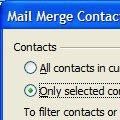
If you want to do do a mail merge to create mailing labels, follow the steps in Use Outlook's Contacts with Mail Merge to begin your mail merge. When the Mail merge dialog opens, select Labels from the Document Type menu. Click the Ok button and the merge document is created. When Word opens, you'll be presented with a message telling you to press the Setup button in the … [Read more...] about Creating a Mail Merge to Labels in Microsoft Outlook
How many email address fields should be on a Contact form?
We get questions like the following every couple of months:Email addresses are used for more than sending emails. They are also used by social connector to bring together all information about a contact. Why are contact's limited to 3 contacts? There should be room for an unlimited number of email addresses per contact. Until this is rectified by Microsoft, how can I work … [Read more...] about How many email address fields should be on a Contact form?
How to remove Members from a Contact Group

When you want to remove members from a distribution group, click the Remove Members button, don't use the Delete key or button. If you use the Delete button () you'll delete the entire distribution group. Select the name (or names) and use the Remove Member button instead. (In older versions of Outlook the button name is just "Remove".) If you accidentally delete … [Read more...] about How to remove Members from a Contact Group