![Diane Poremsky [Outlook MVP]](http://www.outlook-tips.net/images/2014/MVP_BlueOnly.png)
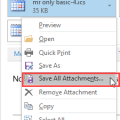
Did you know you can change the folder Outlook uses as the default folder to save attachments?You can also change the default folder that opens when you click Browse this PC on Outlook's Attach File menu (Insert Attachment in older versions) but when you make this change, it changes the default folder for open or saving files in Word, Excel, and PowerPoint. (Note: … [Read more...] about Change Outlook's Open or Save Attachments Folder
attachments
Outlook 2016’s Attachments icons are huge
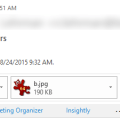
Does the huge attachment icon in the header waste too much of your screen real estate?It’s not too bad if you are using a touch screen, since it’s an easy target for big fingers, but the attachment row is twice as large as it needs to be for desktop users.If you use the compact header (click the caret on right), you can hide the attachments in received messages by … [Read more...] about Outlook 2016’s Attachments icons are huge
Email Attachments Won’t Open After Upgrading to Windows 10 (Fixed)
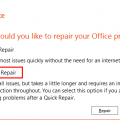
This specific issue was fixed in the August 19 2015 Product Update.After upgrading to Windows 10, some users are having problems opening Office documents that are attached to Outlook messages. When they try to open the attachments, they receive an error message that there is an error or the file is corrupt.Excel: "This file is corrupt and cannot be opened" Word: "Word … [Read more...] about Email Attachments Won’t Open After Upgrading to Windows 10 (Fixed)
Outlook Attachments are Slow to Open
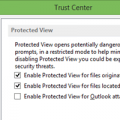
I have a new Windows 8.1 computer. When I try to open a spreadsheet that is attached to an email, it takes 5-8 minutes for Excel to open the file. A banner at the top says it is opening in Protected View, and is extremely painful and slow.Try turning off Protected View. You'll need to make this change in Excel's (and/or Word's) Trust Center, not within Outlook. … [Read more...] about Outlook Attachments are Slow to Open
Tip 1105: Attachments are opening in full screen

This question comes from a new Windows 8 user:I'm using Windows 8 and my attachments open at full screen. What is wrong?Windows 8 includes default apps, such as for viewing images and videos, reading PDF files, etc. Unlike the traditional desktop applications (which are also included in Windows 8 Pro), the apps open the attachment only at full screen.To close an … [Read more...] about Tip 1105: Attachments are opening in full screen