![Diane Poremsky [Outlook MVP]](http://www.outlook-tips.net/images/2014/MVP_BlueOnly.png)

This question came from a user with multiple calendars:We use an outsourced tracking system that allows us to link an Outlook calendar to a website to show the tracking schedule. As such my "standard" Calendar view is my main calendar, and my tracking calendar overlaid on top of one another. If I need to open a 3rd calendar, it opens in the overlay view, which is cluttered … [Read more...] about Tip 1103: Mix overlay and side by side calendars
calendar
Tip 1096: Hide Events on your Outlook Calendar
This request came from an Outlook user:Ideally, I would like to be able to right click an event and have an option to "hide this event" from my view. I haven't been able to figure out a way to create a custom view that hides the events I don't want to see without hiding the ones I do need to see.While Outlook doesn't have a right-click > Hide command, you can get … [Read more...] about Tip 1096: Hide Events on your Outlook Calendar
Tip 1089: Duplicate a meeting request
While you could use a macro to copy meeting details to another meeting... if you plan ahead, it takes just a few keystrokes to send an identical meeting to several people.How can I duplicate a meeting invitation content and just change time and invitees?I schedule interviews. One candidate may have up to 6 different people who they interview with and each … [Read more...] about Tip 1089: Duplicate a meeting request
Tip 1082: Attachments are hidden in Outlook 2013 Outlook.com accounts
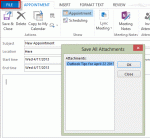
Problem: When you use an Outlook.com account in Outlook 2013 (using EAS) and insert an attachment into an appointment, contact, or task, the attachment is not visible in the message body. All attachments - files and Outlook items - are affected by this bug.Click the Copy to My Calendar command to create a copy of the appointment on your default calendar and the … [Read more...] about Tip 1082: Attachments are hidden in Outlook 2013 Outlook.com accounts
Tip 1064: Calendar details printout duplicates appointments
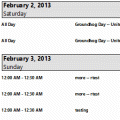
This problem was fixed in one of the July 2013 updates. Verify Office is updated from File, Office Account, Update Options. You should have version 15.0.4535.1511 or higher.Users are discovering that in Outlook 2013, appointments are duplicated when you use the Calendar details style.If you prefer to use the Calendar Printing Assistant for Outlook, it should … [Read more...] about Tip 1064: Calendar details printout duplicates appointments