
![Diane Poremsky [Outlook MVP]](http://www.outlook-tips.net/images/2014/MVP_BlueOnly.png)
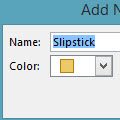
The Upgrade to Color Categories feature doesn't work as expected in Outlook 2013. When you open an existing .pst or import categorized items into Outlook 2013 and run upgrade to color categories, the categories are not added to the Master category list.You have two options to add the categories to the master list:If you have a list of the category names, you can use a … [Read more...] about Tip 1099: Outlook 2013 Upgrade to Color Categories doesn't work
categories
Tip 1096: Hide Events on your Outlook Calendar
This request came from an Outlook user:Ideally, I would like to be able to right click an event and have an option to "hide this event" from my view. I haven't been able to figure out a way to create a custom view that hides the events I don't want to see without hiding the ones I do need to see.While Outlook doesn't have a right-click > Hide command, you can get … [Read more...] about Tip 1096: Hide Events on your Outlook Calendar
Tip 1079: Filtering Outlook emails by color
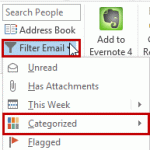
A user recently had this query:I want to set up a condition that allows me to highlight all messages from my boss, say, as red, then I would also be able to filter to show only those emails highlighted as red.Conditional Formatting (called Automatic Formatting in older versions of Outlook) is used to color messages from someone. This is actually a view and the color … [Read more...] about Tip 1079: Filtering Outlook emails by color
Backing Up Microsoft Outlook's Master Categories list
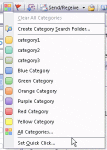
So, you like using Categories and need to merge your master category list with the list on another computer? You can backup and restore the entire category list (instructions at Outlook Categories) but this overwrites your existing categories, which isn't good if you are trying to merge your list with the existing one. Not to worry, there is a way to backup and merge your … [Read more...] about Backing Up Microsoft Outlook's Master Categories list
Tip 864: Send email to a Contact category
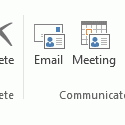
When you assign categories to Contacts you can send an email message to everyone in the category.To do this in Microsoft Outlook 2010 or Outlook 2013, begin by grouping by category then select the category and click the Email button on the Home ribbon's Communicate section. This will open a new email message addressed to the members of the category.While in the Contacts … [Read more...] about Tip 864: Send email to a Contact category