![Diane Poremsky [Outlook MVP]](http://www.outlook-tips.net/images/2014/MVP_BlueOnly.png)
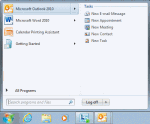
I'd like to have a shortcut in my system tray or sidebar in Windows 7 so I can create a new appointment without opening Outlook. Is this possible?Of course, its possible.You can take the easy route and use QuickIcons. This application works with all versions of Outlook to create shortcuts in the Quick Launch toolbar, which you can move or pin to the start menu or … [Read more...] about Tip 974: Using shortcuts to create new Outlook items
command lines
Microsoft Outlook 2007's Command lines
The switches available between versions of Outlook vary slightly, but many of the switches will work in other versions. To use switches, at the Start menu, Run command type: Outlook /switch In Windows 7 and Vista, you can type the command in the Search box on the start menu. In all versions, you can press Windows key + R to open the run dialog. Occasionally … [Read more...] about Microsoft Outlook 2007's Command lines
How to use Outlook's Command line switches

Most, if not all, of these switches will work with all versions of Outlook, including the newest version (currently Outlook 2016). Don't forget to use the correct path to your version of Outlook.exe. When you're having problems with Outlook you may be told to start Outlook using a specific command line switch. To do this: Close Outlook. At the Start menu, Run … [Read more...] about How to use Outlook's Command line switches
Tip 16: Changing Outlook's Startup Folder
I get a lot of questions like this:Can I get Outlook to open in [some other folder] so that I can see [things] without having to first click the Outlook shortcut?You sure can!One of my favorite features in Outlook is the ability to start in any folder. Outlook 2003 (and up) supports any folder in your mailbox or personal stores (*.pst), including search folders … [Read more...] about Tip 16: Changing Outlook's Startup Folder