![Diane Poremsky [Outlook MVP]](http://www.outlook-tips.net/images/2014/MVP_BlueOnly.png)
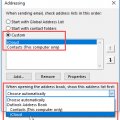
My problem is with the iCloud contacts in the Address Book. The contacts are not to be found in the Address Book or any reference to them under Account Settings - Address Books. Well, they won't be listed separately in File, Account Settings, Address books. The iCloud Contacts are part of the Outlook Address Book. If you double click on the Outlook Address Book, you'll see a … [Read more...] about iCloud Contacts are not showing in Address Book
contacts
Export only Contact's Name and Email Addresses
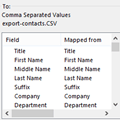
How do I export just the name and the email addresses from all of the contacts in a folder to a CSV file? That's actually really easy to do. When you use the Import and Export wizard, you'll have an option on the last dialog to Map Custom Fields. Map Custom Fields allows you to remove any fields you don't want in the export and add just the ones you want to include in the … [Read more...] about Export only Contact's Name and Email Addresses
Import a CSV file into Outlook Contacts
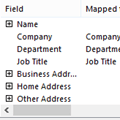
I’ve attempted several times to import my address list without any success. Outlook will import the names, but not the email addresses.That the addresses aren't importing but the names are tells me that Outlook didn't import the addresses because the field names in your CSV don't match with the field names in Outlook.When Outlook imports, the fields names in your … [Read more...] about Import a CSV file into Outlook Contacts
Tip 1122: Sort order in Outlook's People Hub
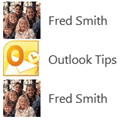
Bob asked this question: When I select PEOPLE, I see a list of the contacts I imported. Most display as First Name then Last name, but some display Last Name and then First Name. I have edited each of them and the data is entered properly for each. First names in first name field and last name in last name field. Why are some displaying one way and others displaying another … [Read more...] about Tip 1122: Sort order in Outlook's People Hub
Tip 1120: When was a contact created?
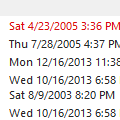
A user asked this question: Is it possible to create a list of contacts that were created on a certain date? For example: it would be nice to check the contacts that were created yesterday or 2 days ago. Yes, you can do this. Switch to a list view and add the Created field to the view. You can also add the Modified field to the view to see when you last edited the contact. … [Read more...] about Tip 1120: When was a contact created?