![Diane Poremsky [Outlook MVP]](http://www.outlook-tips.net/images/2014/MVP_BlueOnly.png)

How many of you are aware that when you change your Facebook profile photo to something goofy, funny, suitable for friends only, mildly offensive, or downright scary that anyone who uses Outlook and has a Facebook account configured in the social connector can see your profile photo when you send them an email message? While it's generally not an issue when you are emailing … [Read more...] about Tip 1014: Facebook profile photo warning
contacts
Tip 1001: Add a Second Mapping Service to Outlook Contacts

Would you like to be able to use two mapping services with Outlook? You can, using VBA. I have the VBA code sample at Use VBA to Map a Contact’s Address. Paste the code into Outlook's VBA Editor and create a toolbar or ribbon button for the macro. Select contact and run the macro. My sample code uses Zillow.com as the mapping service, but you can use any site that … [Read more...] about Tip 1001: Add a Second Mapping Service to Outlook Contacts
How to move Contacts from Outlook to Outlook.com

Today's tip is one that I thought everyone already knew how to do, but today I had questions from two people struggling with moving contacts to Outlook.com (Hotmail), so it looks like I was wrong.If the contacts are in Outlook there is no need to export to a CSV file and import the contacts using Outlook.com online. Install the Outlook Connector or create the account in … [Read more...] about How to move Contacts from Outlook to Outlook.com
Tip 956: Too Many Contact Folders?
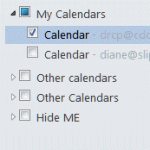
One complaint I get all the time (and often make myself) is about the ridiculous folder clutter on the Contacts and Calendar navigation pane when you have multiple email accounts in your profile.Every account that has it's own data file will have a Contacts and a Suggested Contacts folder. Every Exchange or Hotmail connector account will have it's own Calendar (and often … [Read more...] about Tip 956: Too Many Contact Folders?
Tip 933: Display the Total Number of Members in a Contact Group
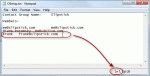
A user wanted to know if Outlook can display the total count of members of a Contact Group (distribution list). Yes, this is possible. Open the Contact Group and click Forward > In Internet Format. This creates a new message with the contents of the DL in a text file. Double click on the attachment (named "group_name.txt") to open the file then go to the View menu, … [Read more...] about Tip 933: Display the Total Number of Members in a Contact Group