![Diane Poremsky [Outlook MVP]](http://www.outlook-tips.net/images/2014/MVP_BlueOnly.png)
A frequent request is the ability to display a person's age on their birthday event in Outlook's calendar. We used to say "you can't" and pointed users to our custom form that displays a contact's current age. We've since learned of a way to use custom fields to populate the subject field - one use of this is to add the age to the subject field of an appointment. Uses for … [Read more...] about Tip 868: Display a person's current age on their birthday event in Microsoft Outlook's Calendar
custom forms
Using Microsoft Outlook's Forms Designer
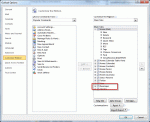
You can use the Forms designer to design custom forms for Outlook. To open it, open any new form then go to Tools, Forms, Forms Designer (in older versions of Outlook). In Outlook 2007 and Outlook 2010, you need to show the Developer ribbon before you can open the form in design mode. Outlook 2010: go to File, Options, Customize Ribbon and add a check to the Developer … [Read more...] about Using Microsoft Outlook's Forms Designer
How to clean up Outlook's Forms Cache
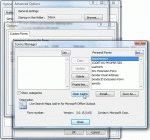
When you receive the message The form required to view this message cannot be displayed. Contact your administrator It usually means that you need to clean Outlook's forms cache. To clear the forms cache, follow these steps: Go to Tools menu, Options. Click the Other tab, and then Advanced Options. Click Custom Forms. Click Manage Forms. Click Clear Cache. … [Read more...] about How to clean up Outlook's Forms Cache
Publishing Microsoft Outlook "Application farm" Custom Forms
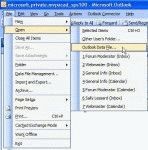
Installing custom forms from the Microsoft Application farm isn't hard. In most cases, it's as easy as opening the form, or was until Outlook security was tightened down. Now you need to publish the forms yourself. It's still easy but requires a few more steps and a few minutes of your time. Download and run the exe for the form. This extracts the pst containing the form … [Read more...] about Publishing Microsoft Outlook "Application farm" Custom Forms
How to publish custom forms in Microsoft Outlook
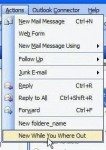
See Designing Custom Forms to learn how to open a form in design view. Due to security issues, any Outlook template (or form) containing code must be published - templates (*.oft) opened from the hard drive will not work and in some cases, will no longer open. (Templates containing custom fields need to be opened using the Choose Form dialog.) To publish a form to … [Read more...] about How to publish custom forms in Microsoft Outlook