![Diane Poremsky [Outlook MVP]](http://www.outlook-tips.net/images/2014/MVP_BlueOnly.png)
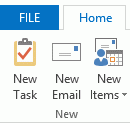
This tip comes from Rick Bretschneider, Powerpoint MVP and one of the very few things I can share from the MVP Summit last week. Do you hate the upper case ribbon names in Outlook 2013? The fix is incredibly simple: add a leading space to the name and the name converts to proper case. (While I normally love incredibly-easy-to-fix annoyances, this one is screaming "if its … [Read more...] about Tip 1070: Proper case ribbon names in Office 2013
customize
Tip 1030: When sorting items in a folder doesn't work as expected
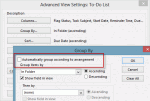
Twice this week users asked how to create a view that sorted the items in a folder way they wanted to sort them.The first person wanted to group tasks by the folder they were in then sort by due date within the group. The other person wanted to sort contacts by icon. Both users had problems creating their views.The cause of their problem was Outlook's setting to group … [Read more...] about Tip 1030: When sorting items in a folder doesn't work as expected
Tip 922: Changing the Navigation Pane Font

Many users have a hard time seeing the account names in the Navigation pane folder list - regardless of the Office theme, the font is too small and lacks contrast to read it easily. Brad had this to say It's very difficult to see the names of my Inboxes in Outlook 2010. I found an option under the General tab to change the color scheme to blue, silver or black. In all of … [Read more...] about Tip 922: Changing the Navigation Pane Font
Using Microsoft Outlook's Forms Designer
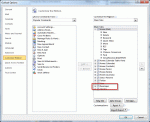
You can use the Forms designer to design custom forms for Outlook. To open it, open any new form then go to Tools, Forms, Forms Designer (in older versions of Outlook). In Outlook 2007 and Outlook 2010, you need to show the Developer ribbon before you can open the form in design mode. Outlook 2010: go to File, Options, Customize Ribbon and add a check to the Developer … [Read more...] about Using Microsoft Outlook's Forms Designer
Outlook's File tab is active, not the Home tab

If the ribbon in Outlook 2010 or Outlook 2013, or on open items in Outlook 2007, is missing, you have the ribbon minimized. When the ribbon is minimized, the File tab appears to be the default tab, instead of the Home or Messages tab.Actually, the File tab isn’t really made the default, it just seems so because of the tab color. While it is an extra click to show the … [Read more...] about Outlook's File tab is active, not the Home tab