![Diane Poremsky [Outlook MVP]](http://www.outlook-tips.net/images/2014/MVP_BlueOnly.png)
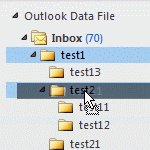
The question of how to "bulk move" folders in Microsoft Outlook comes up often and the answer is that it's surprisingly easy to do with drag and drop: select the folder and drag (or right click, drag and drop to copy the folder). If the folder contains subfolders, they (and their contents) are moved too.Drag and drop is not as quick as selecting folders and moving could be, … [Read more...] about How to bulk move Outlook folders
delete
Tip 871: Stop the creation of Appt Aux Flags folders
Users are reporting that Outlook is creating folders named "Appt Aux Flags" in their Archive folder. Deleting them doesn't help much as they just keep coming back. These folders are created by the Norton AntiSpam Outlook addin. Disable the addin and the problem goes away. (We don't recommend using antispam addins anyway as they tend to cause more problems than they solve.) … [Read more...] about Tip 871: Stop the creation of Appt Aux Flags folders
Delete a message stuck in Outlook's Outbox

If you attempt to send a message that is too large for your mail server you may be unable to delete it from the Outbox. If you try to open it (to remove attachments) or delete it, an error will say that Outlook has begun transmitting the message.We have three methods listed below that can be used to remove the stuck message. The first two methods are the easiest and either … [Read more...] about Delete a message stuck in Outlook's Outbox
Tip 183: Sort Messages by Deleted Date in Exchange mailboxes
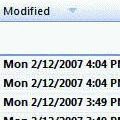
This tip works with Exchange server mailboxes and Outlook.com (EAS) accounts. It will not work with PST files or IMAP data files.Do you want to sort your Deleted Items folder by the date deleted? You'll need to add the Modified Date field to the view.Right click on the row of field names and choose Customize current view. Click the Fields button. Select Date and … [Read more...] about Tip 183: Sort Messages by Deleted Date in Exchange mailboxes