![Diane Poremsky [Outlook MVP]](http://www.outlook-tips.net/images/2014/MVP_BlueOnly.png)
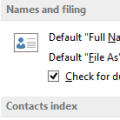
An Outlook user had this question:We have a list of contacts saved in an Excel file containing more than 100 contacts. Some of these names are already in Outlook. How can we import these without importing the duplicates?You can use one or more of these options:1. Turn on Outlook's option to check for duplicate contacts. It's in Contact Options and when enabled, it … [Read more...] about Tip 1088: Check for Duplicate Contacts
duplicates
Tip 863: Duplicate Sent Messages in Outlook 2010
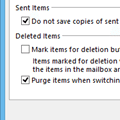
If you have a Gmail account and are getting duplicates in the Sent folder, this is because Outlook saves a sent message in the Sent message folder and some IMAP mail providers do the same, creating two sent message every time you send a message. To stop the duplicates, you need to change the sent message settings in Outlook’s More Settings dialog or change the settings on your … [Read more...] about Tip 863: Duplicate Sent Messages in Outlook 2010
Tip 859: Remove Duplicate Holidays from the Outlook Calendar

We’ve all done it once or twice: accidentally added Holidays twice or duplicated them when syncing with a smart phone. Or, you added holidays for more than one country and decided you didn’t need all of those countries. Fortunately, they aren’t hard to remove and you don’t have to do it one at a time.Use a List view and group by category.Delete all then re-add the Holidays. … [Read more...] about Tip 859: Remove Duplicate Holidays from the Outlook Calendar
Tip 684: Search for Duplicates
“I exported the personal file folders from my desktop and imported them into my laptop. Now I have many duplicate messages. Obviously I did not select the correct option. How do I remove them other than one at a time?” You could a duplicate remover, but for imports, where the last modified date is going to be very close and no new mail was … [Read more...] about Tip 684: Search for Duplicates