![Diane Poremsky [Outlook MVP]](http://www.outlook-tips.net/images/2014/MVP_BlueOnly.png)
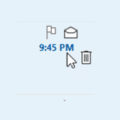
An Outlook user wondered why he his accounts had different icons on the right side of the message list. I have two accounts setup in Outlook. In one account, I have the Mark as Read/Unread icon appear when I select a message. In the other account, I only have Flag and Delete. How do I fix this?Those icons are Quick Actions. Customizable Quick Actions are a feature … [Read more...] about Quick Actions in Outlook
Show AutoPreview for Unread Messages
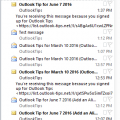
I receive a lot of complaints about the change in the unread message preview option introduced in Outlook 2013. In Outlook 2010 and older, you could show a 3 line preview of Unread messages and no preview for read messages. In Outlook 2013, this was changed to an option of 1, 2 or 3 lines but applies to all messages, read or unread and not everyone likes this change.I spent … [Read more...] about Show AutoPreview for Unread Messages
Using Split Screen in Outlook Email
My question is this simple... I upgraded from Outlook 2013 to 2016 on Windows 10. Back in Outlook 13 I had "split screen" functionality so I could compare one section of an e-mail with another section of that same e-mail with a very simple horizontal divider and a vertical scrolling bar for each section.I can't seem to find the split screen functionality in Office 2016 … [Read more...] about Using Split Screen in Outlook Email
Edit the Subject in Outlook Email Messages
I use Outlook 2010 and 2013 mostly, where I used the Other Actions button "Edit message" command to annotate messages I have received. (For example, to change a subject like "A question for you" to something more specific, to more easily find it again.)In Outlook 2016, I can still use the "Edit message" command, but it no longer lets me change the Subject, only the message … [Read more...] about Edit the Subject in Outlook Email Messages
Archiving Last Year's Email
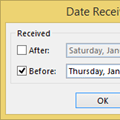
It’s a new year and many people like to start off with a clean mailbox. I created a new pst in Outlook for 2015, making the 2014 PST an archive of sorts. I’ve been doing it this way for years, so I have some 16,000 messages stored on the server. How can I avoid downloading all of the messages again? Because the Mailbox Manager file that Outlook uses to identify the last … [Read more...] about Archiving Last Year's Email