![Diane Poremsky [Outlook MVP]](http://www.outlook-tips.net/images/2014/MVP_BlueOnly.png)

All appointments and meetings I create in Outlook are Private, by default. How can I turn this off? If I want something to be private, I will set it to Private myself.What your default sensitivity set to?In Outlook 2010 or Outlook 2013, check your Sensitivity settings in File, Options, Email. In older versions of Outlook, it's in Tools, Options, Email Options, … [Read more...] about Make Outlook Appointments Private by Default
Tip 1129: Fix Send to Mail Recipient in Windows Explorer
Yes, I've been terribly remiss in not doing tips over the last few months. My New Years Resolutions were simple: get back on track with the Tips and get my hair cut the first of every month. I broke both resolutions by the end of the first week. It was cold and snowy and easy to skip the hair cut, but that excuse won't fly for Tips. :)I received a "cold call" email from a … [Read more...] about Tip 1129: Fix Send to Mail Recipient in Windows Explorer
Tip 1121: Outlook 2003: Messages are cropped
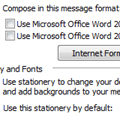
I'm starting to see a lot of complaints that Outlook 2003 is not sending the full message as the user typed it. Only the first part of the message, the part that was saved to drafts, is sent. Not all messages are affected, just some.This is caused by a combination of the installation of Internet Explorer 11 and the user's choice of using Outlook's native editor. Outlook is … [Read more...] about Tip 1121: Outlook 2003: Messages are cropped
Tip 1117: Drag files to create hyperlinks in email
Is it possible to drag and drop files or folders to create hyperlinks in an email? Our company has a policy of hyperlinking to network locations instead of attaching files wherever possible. How can I drag from the address bar in explorer direct into an email to create a hyperlink to the location?There are several methods you can use to insert the hyperlink. (Note that not … [Read more...] about Tip 1117: Drag files to create hyperlinks in email
Tip 1071: Auto Preview Email in Outlook 2013
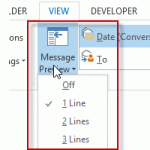
Outlook 2013 makes a change to the 3 line preview feature in older versions: you can choose 1, 2, or 3 line preview and select it from a button on the ribbon for quick changes.I see the new feature where you can set it to preview 1-3 lines of email. But I'd like to have the ability to do what I have always done in Outlook and preview just the Unread Emails. How can I … [Read more...] about Tip 1071: Auto Preview Email in Outlook 2013