![Diane Poremsky [Outlook MVP]](http://www.outlook-tips.net/images/2014/MVP_BlueOnly.png)

I'm seeing reports that Outlook 2010 on Windows 8 is very slow to send and receive. It's fine when the computer is first booted, but after several hours it slows appreciably. All of the reports mention Outlook 2010 on Windows 8, but all versions of Outlook may be affected.Outlook works fine in Safe mode. All of the affected users have Norton installed and Outlook works … [Read more...] about Tip 1065: Outlook 2010 & Windows 8 Send/Receive Slow
Tip 1063: Change the Received date format

There are two types of Outlook users: those who like seeing relative dates and those who don't. Jim doesn't like it:I hate this trend of hiding data, using relative dates, etc. None of it works for me at all. Not just annoying, but reduces my efficiency tremendously.I happen to like it, but anyone who doesn't like it can change the format used in the message list. … [Read more...] about Tip 1063: Change the Received date format
Tip 1054: Search for all messages from a contact

Outlook contacts have (or had) a feature called Activities that show all Outlook items associated with a contact. This feature was depreciated and is more or less broken in Outlook 2010; it's removed completely from Outlook 2013. The replacement is the people pane in the Social Connector.While I like the people pane search, it's limited in that it only displays 200 … [Read more...] about Tip 1054: Search for all messages from a contact
Tip 1051: Send meeting details in an email
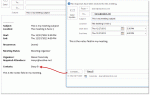
After several questions over the last couple of weeks asking how to send a plain text meeting request, I thought it was time to write up a tip on the subject.Why would you want to do this? Most users want to forward a copy of their appointments to a cell phone or their personal address but only need the details in a text message format, not a meeting request or … [Read more...] about Tip 1051: Send meeting details in an email
Tip 1046: Send an email to attendees who haven't responded
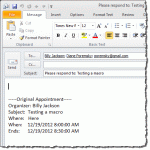
I sometimes get requests for help writing macros from users looking to solve a common problem. In some cases, the macro is fairly simple to write and I think "why did I wait so long to solve this problem?" Today's tip is one such macro.Anyone who sends out meeting requests and has to follow up with people who haven't yet responded will appreciate this tip: an Outlook macro … [Read more...] about Tip 1046: Send an email to attendees who haven't responded