![Diane Poremsky [Outlook MVP]](http://www.outlook-tips.net/images/2014/MVP_BlueOnly.png)
Update November 8 2012 This issue was fixed in both Outlook 2007 and Outlook 2010 by recently released hotfixes.Outlook 2007: install the Word 2007 hotfix in Description of the Word 2007 hotfix package (Wordconv-x-none.msp, Word-x-none.msp): October 30, 2012Outlook 2010: install the Word 2010 hotfix described in Description of the Word 2010 hotfix package … [Read more...] about Tip 1035: Attachment extensions are duplicated (hotfix available)
Tip 1034: Sorting Contact Group members by name
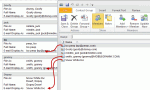
This seems to be the week everyone wants to sort the names in a Contact Group (distribution list) in a specific order, usually last name, first name format and it's not working.Contacts inserted into a Contact Group use the Email Display as format.By default, the Email display as field uses "Full Name (alias@domain.com)" format. But if you change the entry in the … [Read more...] about Tip 1034: Sorting Contact Group members by name
Tip 1033: Automatically display pictures from some external sources
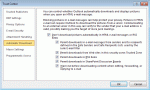
I've done my share of warning people to not enable the option to automatically download external content, because it sends back "web bugs" and could possibly allow a specially crafted email message (that uses a Java exploit) to infect your computer. It's a remote possibility at this point, but Java has so many holes that I don't trust it. (I removed Java from my office … [Read more...] about Tip 1033: Automatically display pictures from some external sources
Tip 1031: Use Alt tags on images in templates
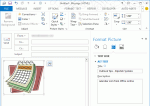
An Outlook user had a question about Outlook templates adding unexpected words to the message, which displayed in desktop alerts and the 3 line preview.I use .oft files frequently to send customer email messages. After I send these out to recipients, the messages appear in Outlook's Inbox with a series of "Description: Description: Description:" appearing below the subject … [Read more...] about Tip 1031: Use Alt tags on images in templates
Tip 1029: Strange characters in email?

This is a fairly common question, although I see it a lot less these days, thanks to the widespread use of Unicode.Why do we get these characters à replacing text in email messages?This happens most often when you use characters supported by Word's "smart quotes" feature, typically affecting apostrophes, double quotes, dashes, and ellipsis. The character is … [Read more...] about Tip 1029: Strange characters in email?