![Diane Poremsky [Outlook MVP]](http://www.outlook-tips.net/images/2014/MVP_BlueOnly.png)
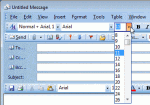
Today's tip is for users with Outlook 2003 or older versions -I want to use 11 pt font and went into Mail Format/Fonts and changed it to 11 pt. Arial. When I create a new email or reply to an email it only shows Arial 12. There is no option for Font 11. How can I fix this.Outlook's native editor uses only even-sized fonts, it does not support odd-sized fonts. If you … [Read more...] about Tip 953: Using Font Size 11 in Outlook Email
fonts
Tip 894: Changing Folder and Message List Fonts

Question: "I can make the folder icons larger with display settings but when I choose large or extra-large fonts, this has no effect on the fonts used in the folders or the email line items in my inbox."Only Outlook 2010 includes the ability to change the font used for folder names. Look on the View ribbon, Navigation Pane, Options to change the font used for folder names. … [Read more...] about Tip 894: Changing Folder and Message List Fonts
Tip 883: Changing the Navigation Calendar fonts
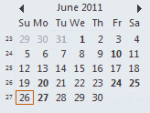
Did you know you can change the font used on the little navigation calendars on the To-do bar and Navigation pane? In Outlook 2010, go to File, Options, Calendar options and about halfway down the dialog, under Display options, is an option to change the "Date Navigator Font". In Outlook 2003 and 2007, go to Tools, Options, Other, Advanced options - look for Date … [Read more...] about Tip 883: Changing the Navigation Calendar fonts
Tip 875: How to change the +Body style font in Outlook
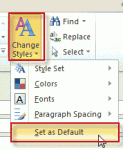
Changing the default fonts in Outlook is easy: just go into the Stationery and Fonts dialog1 and assign new fonts. The font for new mail messages is used for composing HTML email and in the notes field of calendar, contacts, and task items. ("Sticky" Notes have their own font setting.) The font for composing and reading plain text messages is also used when 'read as plain text' … [Read more...] about Tip 875: How to change the +Body style font in Outlook
Tip 816: Tiny (or Huge) 10 Point Font
A few weeks ago I mentioned a problem with huge fonts where the font was changed from 10 point to 100 point. This problem affects messages you receive and is caused by an antivirus scanner corrupting the message.There is another problem with font sizes – they are really tiny or very large when composing a message but Outlook says the font is a normal size, such as 10 … [Read more...] about Tip 816: Tiny (or Huge) 10 Point Font