![Diane Poremsky [Outlook MVP]](http://www.outlook-tips.net/images/2014/MVP_BlueOnly.png)
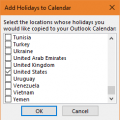
Of all the years to get the date wrong for the US Election day, it had to be this year. Fortunately, it's a week early, so no one is going to miss voting because the calendar was wrong.The HOL file supplied with Outlook 2010 has the US Election day on November 1 (don't we wish!), when it really is November 8. The date was corrected in a later HOL file; on my Outlook 2013 … [Read more...] about Outlook Holiday Error: Election Day
holidays
Tip 1125: Add new holidays to Outlook Calendar and remove old holidays
This question about Outlook's Holidays came up this week.I have Outlook 2010, and my holidays ended 12/31/13. If I add holidays they will go backwards as well as forward, I don't want the old holidays and I need to keep my past appointments, so I can't archive the calendar to remove the old holidays. And I'm sure the past holidays will be duplicated when I add the new … [Read more...] about Tip 1125: Add new holidays to Outlook Calendar and remove old holidays
Outlook's Missing Holidays

Update October 26 2016: Older HOL files have the US election date as November 1 2016, not November 8, 2016. To fix, just drag the event to November 8 (or delete all Holidays and add them back). Only older HOL files are affected and was fixed in the HOL file (dated July 2014) on my Outlook 2013 test system.The most up-to-date HOL file (as of October 2016) is here. If you … [Read more...] about Outlook's Missing Holidays
Tip 859: Remove Duplicate Holidays from the Outlook Calendar

We’ve all done it once or twice: accidentally added Holidays twice or duplicated them when syncing with a smart phone. Or, you added holidays for more than one country and decided you didn’t need all of those countries. Fortunately, they aren’t hard to remove and you don’t have to do it one at a time.Use a List view and group by category.Delete all then re-add the Holidays. … [Read more...] about Tip 859: Remove Duplicate Holidays from the Outlook Calendar
Tip 468: 2008 Holidays

Older versions of Outlook are "missing" holidays for 2008 and beyond. Microsoft has released updates for some versions and I converted the file to support older versions... see Outlook’s Missing Holidays for the download and more information.To use the file, replace the existing holiday file found in the 4-digit language folder under C:\Program Files\Microsoft … [Read more...] about Tip 468: 2008 Holidays