![Diane Poremsky [Outlook MVP]](http://www.outlook-tips.net/images/2014/MVP_BlueOnly.png)

Today's tip is one that I thought everyone already knew how to do, but today I had questions from two people struggling with moving contacts to Outlook.com (Hotmail), so it looks like I was wrong.If the contacts are in Outlook there is no need to export to a CSV file and import the contacts using Outlook.com online. Install the Outlook Connector or create the account in … [Read more...] about How to move Contacts from Outlook to Outlook.com
Hotmail Connector
Tip 916: Using Additional Addresses with Hotmail Live
Hotmail allows you to configure additional addresses in your account, and you can set one as the default for new messages and replies. Alternatively, you can choose which address is used for replies. When you have more than one email account, you can have all mail delivered to a Hotmail account and reply from the additional addresses. An Outlook user had a question about … [Read more...] about Tip 916: Using Additional Addresses with Hotmail Live
Create a new Outlook 2002 or Outlook 2003 Profile
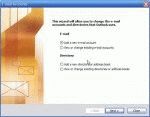
Outlook 2002/2003 and Outlook 2000/98 in Corporate/Workgroup mode allow you to have as many profiles as you want. Generally, we recommend one profile per computer user (creating a Windows user account for each user is best, especially if you use Windows XP, but more hassle if you use Windows 98/ME). If you use Outlook for personal and business email, you'll probably want two … [Read more...] about Create a new Outlook 2002 or Outlook 2003 Profile
Tip 418: Hotmail in Outlook

Great news for all Hotmail users. Microsoft will be making the Outlook Connector available with all accounts, not just the paid subscriptions. (Links to the current version of the Microsoft Office Outlook Connector are in the right sidebar.)Paul asks:"I've never paid for a Hotmail account but I have always been able to access mine through Outlook. So my question... … [Read more...] about Tip 418: Hotmail in Outlook
Tip 188: Hotmail's HTTP Access Ends
Effective September 27, 2004, HTTP support for Hotmail and MSN accounts was discontinued. At this time, only new subscribers or accounts that never used HTTP access are affected. Accounts that use the HTTP protocol will continue to have access until Sept 2009. After that, users will need to use the Outlook Hotmail Connector. Hotmail now supports POP3 for all users. See … [Read more...] about Tip 188: Hotmail's HTTP Access Ends