![Diane Poremsky [Outlook MVP]](http://www.outlook-tips.net/images/2014/MVP_BlueOnly.png)
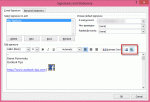
A popular question the last couple of weeks was "How do I add social networking icons to my signature?"Easy. Find the icons you want to use. If they are larger than you want, reduce the size in SnagIt or InfranView. Create a new signature or edit an existing signature and insert the images and hyperlink them.In Outlook 2010 or Outlook 2013: Open the Signature … [Read more...] about Tip 1081: Add hyperlinked icon to an Outlook signature
hyperlink
Tip 850: Hyperlink codes showing
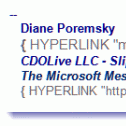
We occasionally receive questions about hyperlink code showing in email – in the form of {Hyperlink “http: // whatever” }. This means you are showing field codes. Press Alt+F9 to toggle them off and on. … [Read more...] about Tip 850: Hyperlink codes showing
Tip 801: Block hyperlinks in Outlook
I recently had a question from an administrator looking for a way to prevent users from clicking on hyperlinks in Outlook. He doesn’t care if users copy the URL and paste it into a browser, he just doesn’t want them clicking links in Outlook.Links in the junk mail folder are unclickable, but you can’t block urls in other folders in the same manner. However, you can take … [Read more...] about Tip 801: Block hyperlinks in Outlook
Tip 77: Easy Access to Templates within Outlook

Many users don't like to use templates because it takes too many steps to get to the template: in Outlook 2010 and up, New Items > More Items > Choose Form and browse the User Templates in File System; or in older version Tools > Forms > Choose Forms, look in User Templates in File System.Fortunately, you can store the templates in Outlook so the templates are always … [Read more...] about Tip 77: Easy Access to Templates within Outlook