![Diane Poremsky [Outlook MVP]](http://www.outlook-tips.net/images/2014/MVP_BlueOnly.png)

The envelope will not appear in the screen unless I reply or forward to an email. I removed the icon column and added it back in. I removed all add-ins and that did not work either.It's not an addin or corrupt view that removed the icon and you can't "fix" it. It's the new Outlook look, with minimal distractions. In Outlook 2013, Unread messages have a vertical bar on … [Read more...] about Tip 1113: Icons missing in Outlook 2013?
icons
Tip 984: Hiding the Outlook icon in the Notification Area
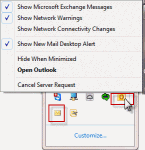
I hate unwanted Notification icons. I can't find any Option that will get rid of the Outlook icon. Outlook has two icons it adds to the notification tray: the Outlook icon and the New unread message envelope icon. The envelope icon can be disabled in Options but the Outlook icon cannot be disabled, only hidden. The Outlook icon will change throughout the day, so you can … [Read more...] about Tip 984: Hiding the Outlook icon in the Notification Area
Icons used in the Rules and Alerts dialog

A common question we are asked is "What does the hammer and wrench in the rules wizard dialog mean?" Each type of action used in rules uses an icon to identify the type action that is configured for the rule and the hammer and wrench icon are displayed for actions that don't have their own icon. The actions are (in the order shown in the Rules Wizard): Display … [Read more...] about Icons used in the Rules and Alerts dialog
Icons found in the Inbox, Message Headers, and Toolbars

On this page we have the icons you may see in your Inbox, Sent folder, or in the message header in Outlook 2013 and above.Outlook 2013 aims for a cleaner look and many default icons, such as read and unread envelopes are gone. In the case of Unread, the envelope was replaced by a blue bar to the left of the message. Mail | Calendar & Tasks | Contacts & … [Read more...] about Icons found in the Inbox, Message Headers, and Toolbars
Outlook's Calendar and Task Icons

The following are icons you may see in Outlook 2013, Outlook 2016, or newer Calendar folders. If you have an older version of Outlook, the icons will be similar in most cases. Calendar Icons In current versions of Outlook, the Daily, Week, and Monthly calendars won't display icons by default. You'll need to turn on the option to Show bell icon on the calendar for appointments … [Read more...] about Outlook's Calendar and Task Icons