![Diane Poremsky [Outlook MVP]](http://www.outlook-tips.net/images/2014/MVP_BlueOnly.png)
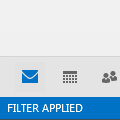
I’m often asked about the “Filter Applied” notation in the status bar of Outlook 2010 and Outlook 2013. The person often insists they did not apply a filter to the view and don't understand why it's there.When I right-click on the status bar, Filter is unchecked, but shows "filter applied". Both "items in view" and "unread items in view" are checked but do not show … [Read more...] about Outlook Status bar: Filter applied, no total or unread counts
imap
Tip 1131: Find IMAP Account Sent Items in Outlook
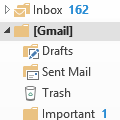
One of the most frequently asked Outlook questions is where the Sent folder is in a Gmail IMAP account:Where are my Gmail IMAP sent items?Click on the small white triangle next to the [Gmail] folder. You’ll find the Sent Mail, Drafts, and Trash folders under the [Gmail] folder. Outlook 2013 will use the Sent Mail, Drafts, and Trash folder. (Outlook 2010 can be … [Read more...] about Tip 1131: Find IMAP Account Sent Items in Outlook
Tip 1102: Move EAS and IMAP .ost files
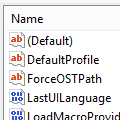
I receive a lot of questions from users who want to move the data files created by EAS (Outlook.com) and IMAP accounts. While you do not need to backup the .ost files, since they contain an offline replica of the mailbox on the server and can only be opened by the account that created the .ost, users with small boot drive may need to move the data files to a larger drive. … [Read more...] about Tip 1102: Move EAS and IMAP .ost files
How to find out what type of email account is configured
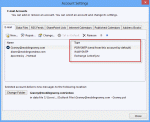
One of the first questions I usually ask when I'm trying to help someone solve a problem with Outlook is What type of email account do you have configured in Outlook? If you don't know the answer, you can look in Outlook's Account Settings. The account type is to the right of the account name. In Outlook 2010 or Outlook 2013, go to File, Account Settings. Accounts … [Read more...] about How to find out what type of email account is configured
Tip 1038: Outlook 2013 messages deleted from IMAP account reappear
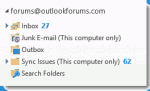
I'm seeing reports that when users delete messages from an IMAP account, the deleted items reappear.Files that are deleted reappear later, sometimes randomly, even though the Trash folder was previously emptied. The trash folder sometimes shows there are one or more unread messages in it, but when looking in the folder, it appears empty.The solution: delete the IMAP … [Read more...] about Tip 1038: Outlook 2013 messages deleted from IMAP account reappear