![Diane Poremsky [Outlook MVP]](http://www.outlook-tips.net/images/2014/MVP_BlueOnly.png)
In Eudora, I can hold down the Alt button and click on a particular e-mail. That will bring all e-mails from the same sender into one list. My skill testing question is - is there a way to do this in Outlook?Outlook doesn't have anything quite that simple, but you can right-click on a message and choose Find Related > Messages From Sender to begin a simple Instant Search … [Read more...] about Tip 1087: Find Messages from Sender
instant search
Tip 1079: Filtering Outlook emails by color
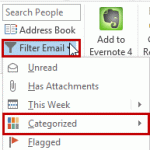
A user recently had this query:I want to set up a condition that allows me to highlight all messages from my boss, say, as red, then I would also be able to filter to show only those emails highlighted as red.Conditional Formatting (called Automatic Formatting in older versions of Outlook) is used to color messages from someone. This is actually a view and the color … [Read more...] about Tip 1079: Filtering Outlook emails by color
Tip 1067: Search People finds contacts that don't exist
I have a feeling the changes introduced in the Search People feature (in the Home ribbon, formerly Find a Contact) is going to result in a lot of questions down the road, as more people upgrade to Outlook 2013.I upgraded to Office 365 Home Premium. If I search for a Contact in Outlook, using the search box at the top of my Contacts list, all I receive is the message: "We … [Read more...] about Tip 1067: Search People finds contacts that don't exist
Tip 1054: Search for all messages from a contact

Outlook contacts have (or had) a feature called Activities that show all Outlook items associated with a contact. This feature was depreciated and is more or less broken in Outlook 2010; it's removed completely from Outlook 2013. The replacement is the people pane in the Social Connector.While I like the people pane search, it's limited in that it only displays 200 … [Read more...] about Tip 1054: Search for all messages from a contact
Tip 966: View all Unread Mail from all Inboxes
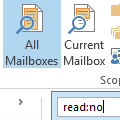
We are often asked how to create a single search folder to display all unread email across all email folders:I have several Inboxes and many more sub-folders in Outlook. I would love to be able to highlight each email account and easily scan through them all by just looking to see if I have any unread emails.There are two ways to do this in Outlook 2010 and Outlook … [Read more...] about Tip 966: View all Unread Mail from all Inboxes