![Diane Poremsky [Outlook MVP]](http://www.outlook-tips.net/images/2014/MVP_BlueOnly.png)
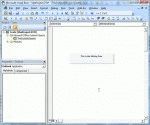
So you found some code on the Internet that you think might do what you need done. But how do you use it? First you need to open the VBA Editor by pressing Alt+F11. Expand Microsoft Outlook Objects Double click on ThisOutlookSession to open it in the editing pane on the right side. Paste (or type) the code sample into ThisOutlookSession. Press F5 or the Run … [Read more...] about How to use VBA code samples in Outlook
macros
Signing Outlook Macros using SelfCert.exe
Note: You should only use a self-signed certificate for personal use. To increase your level of security and eliminate annoying dialogs, you should only used signed macros with Microsoft Outlook (or other Office applications). To make it easier for users who write macros for their own use, Microsoft provides an application you can use to create a personal certificate for … [Read more...] about Signing Outlook Macros using SelfCert.exe