![Diane Poremsky [Outlook MVP]](http://www.outlook-tips.net/images/2014/MVP_BlueOnly.png)
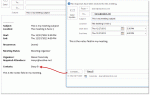
After several questions over the last couple of weeks asking how to send a plain text meeting request, I thought it was time to write up a tip on the subject.Why would you want to do this? Most users want to forward a copy of their appointments to a cell phone or their personal address but only need the details in a text message format, not a meeting request or … [Read more...] about Tip 1051: Send meeting details in an email
meetings
Tip 998: Copy Meeting Attendees and Responses
After the earlier tip on how to copy voting responses, an Outlook user said it didn't work with meetings. That's expected since you can't copy the meeting responses, only the list of invitees.To get a list of the attendee and their responses in Outlook 2007 and older you have two options: screen print or VBA. (Outlook 2010 and up includes a Copy Status to Clipboard … [Read more...] about Tip 998: Copy Meeting Attendees and Responses
Tip 991: Ending a recurring series of appointments and keeping the exceptions

I've heard a lot of complaints from users over Outlook's poor handling of recurring appointments and meetings over the years, especially when it comes to ending a series early.At least Outlook warns you before you do something stupid:Exceptions occur either when you move an occurrence to another time or date or when you edit an occurrence.The recommended … [Read more...] about Tip 991: Ending a recurring series of appointments and keeping the exceptions
Tip 988: View a Sender's Free/Busy in Outlook

Can you view someone's calendar from an email you have received? Currently, I switch to Calendar view and then open up their calendar. Is there an easier way? Sure, there is an easier way. Right click on the sender's name (or any recipient) and choose Schedule a Meeting. This opens a Meeting Request to the Scheduling Assistant page, with the selected person's address and … [Read more...] about Tip 988: View a Sender's Free/Busy in Outlook
Tip 987: Tracking Attendees on Outlook Meeting Invitations

When an invitee does not return a meeting response or the response does not process and update the tracking results, you can manually update the meeting. To do this, open the meeting request and switch to the tracking page. Click in the Response field for one of the attendees and select the desired response. Note: the response field is not editable for the … [Read more...] about Tip 987: Tracking Attendees on Outlook Meeting Invitations