![Diane Poremsky [Outlook MVP]](http://www.outlook-tips.net/images/2014/MVP_BlueOnly.png)
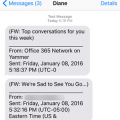
Is there a way to have an Office 365 business account send only a notification or SMS to another email/phone without sending the entire email? I only want notifications when an email was received on that account, not the entire email. Sure, you can forward notifications to your smartphone. You won't be able to forward to another address as this will forward the entire message, … [Read more...] about Send New Mail Notification to Phone
new mail alert
Windows 10 and Outlook's New Email Notifications
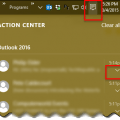
Windows 10 changes how notification are handled and this change will affect Outlook’s New Mail Alert that displays in the corner of the screen.If the notifications are not showing in the corner of your screen, click on the Action Center icon (text bubble icon) in the right corner of your Taskbar to see your previous notifications from apps, including Outlook 2013 or … [Read more...] about Windows 10 and Outlook's New Email Notifications
Tip 1061: Skype 6 and new mail alerts (Fixed)

Skype is replacing Windows Messenger. Microsoft is pushing everyone to upgrade Messenger to Skype before they pull the plug on Messenger, but Outlook users may want to avoid Skype 6.1... users are reporting that new mail alerts are not working when it's installed.Fixed in Skype 6.2Microsoft is aware of the problem and are investigating.As a workaround, you can … [Read more...] about Tip 1061: Skype 6 and new mail alerts (Fixed)
Tip 551: New Mail Alerts
People who use rules to move mail to other folders are frequently frustrated with Outlook’s new mail alerts altering them to every new message, not just those left in the Inbox. The solution is to turn off Desktop alerts (the little blue window) and new mail sounds then set up a rule to run last to display the desktop alert and plays a sound. Turn off the sound for new … [Read more...] about Tip 551: New Mail Alerts
Tip 245: Outlook's Desktop Alerts Settings
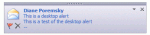
Outlook 2003 (and up) users can change how long the Desktop Alert is displayed. This is the blue rectangle which displays on the screen when new mail arrives and is also known as ""toast"". (It's not to be confused with the New mail alert window which is controlled by Rules and supported in all versions of Outlook.) The easiest way to configure it is using the … [Read more...] about Tip 245: Outlook's Desktop Alerts Settings