![Diane Poremsky [Outlook MVP]](http://www.outlook-tips.net/images/2014/MVP_BlueOnly.png)
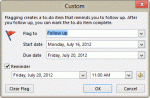
A question came up about a bug in Outlook 2010's Next week flag. An article at Office Online says the reminder on Next Week flags is the first day of the work week. But the user noticed his reminder was set for the last day of the work week. He wanted to know if the article was wrong or if this was a bug. When I tested it, the behavior in the article was correct: when I … [Read more...] about Tip 1007: Next Week flag reminder time bug?
outlook 2007
Tip 1002: View the Next Unread Message in Outlook 2007 or Outlook 2010
Back in 2005, I shared a tip about how to read the next (or previous) unread message in Outlook 2003. This method does not work in Outlook 2007 and Outlook 2010, because the Next and Previous button on the QAT don’t include additional commands on the flyout. My own preference is an Unread Search folder or a custom view that hides read messages, over using these buttons … [Read more...] about Tip 1002: View the Next Unread Message in Outlook 2007 or Outlook 2010
Tip 970: Disabling Tool Tips on Outlook's Messages
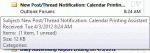
This is one of those tips I need to repeat about every two years... Can I disable the tool tips that come up while hovering over messages and folders in Outlook 2010? Maybe increase the amount of time the mouse hovers over a message before a tool tip displays? They are very distracting and are slowly driving me insane. Outlook drives us all a little insane... No, … [Read more...] about Tip 970: Disabling Tool Tips on Outlook's Messages
Tip 963: Which Calendar does the To-Do Bar use?
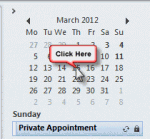
We get a lot of questions about missing appointments on the To-Do Bar appointment section:My To-Do Bar is not showing my appointments. Under my 'To-Do Bar' options everything is checked.In addition to missing appointments, some users complain that the wrong appointments are shown.This is always a problem when there is more than one calendar in the … [Read more...] about Tip 963: Which Calendar does the To-Do Bar use?
Tip 960: (Another) Calendar Printing Bug
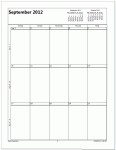
Starting the week on Monday is the cause of this new printing bug. An Outlook 2010 user wanted to print a calendar using the options to print exactly one month per page and to print only the weekdays (Monday - Friday) but with September 2012, the printout included only the first 3 weeks – the last week is missing. The fix: Set the calendar to start on Sunday and the … [Read more...] about Tip 960: (Another) Calendar Printing Bug