![Diane Poremsky [Outlook MVP]](http://www.outlook-tips.net/images/2014/MVP_BlueOnly.png)
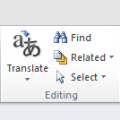
In Eudora, I can hold down the Alt button and click on a particular e-mail. That will bring all e-mails from the same sender into one list. My skill testing question is - is there a way to do this in Outlook?Outlook doesn't have anything quite that simple, but you can right-click on a message and choose Find Related > Messages From Sender to begin a simple Instant Search … [Read more...] about Tip 1087: Find Messages from Sender
outlook
Tip 1074: Microsoft accounts and sharing BCM

When I first started using Windows 8, I didn't think using a "Microsoft account" to log into my computer was such a good idea (and it probably still isn't) but I decided I'd give it a shot, just for a day or two. After using it for a little bit, it became one of my favorite Windows 8 features. I like syncing my desktop with my other computers a lot more than I thought I would. … [Read more...] about Tip 1074: Microsoft accounts and sharing BCM
Tip 1039: Searching Outlook in Windows 8

One of my favorite features in Windows 7 was the Start menu search field. It could find anything, fast. Including email, contacts, messages stuck in the Outbox... Just as we've all gotten used to using it, Microsoft puts a stop to it. No, not because they removed the Start menu. I can live with that.They messed up search. Outlook items are no longer included in the search … [Read more...] about Tip 1039: Searching Outlook in Windows 8
Tip 1028: Copying Outlook data to another user
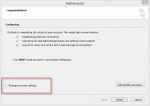
A manager wanted to know how to transfer all Outlook data to a new assistant.I have a new assistant. I want to duplicate all of my old assistant's info in Outlook into the new assistant's Outlook. What is the best way to do this. I want Contacts, Email, Calendar and To-Do list. I also want to copy the way her Inbox looks.This is actually really easy to do when you … [Read more...] about Tip 1028: Copying Outlook data to another user
How to CC a copy of every message you send
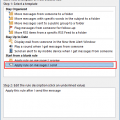
Unlike many smartphones, Outlook does not include an option to automatically CC an address on every message you send, however, you can do this easily using an After Sending rule. (If you want to BCC the messages, you need to use VBA or an Outlook add-in. Links to VBA samples and lists of add-ins are listed in More Information.)Open the Manage Rules & Alerts wizard. … [Read more...] about How to CC a copy of every message you send