![Diane Poremsky [Outlook MVP]](http://www.outlook-tips.net/images/2014/MVP_BlueOnly.png)
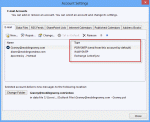
One of the first questions I usually ask when I'm trying to help someone solve a problem with Outlook is What type of email account do you have configured in Outlook? If you don't know the answer, you can look in Outlook's Account Settings. The account type is to the right of the account name. In Outlook 2010 or Outlook 2013, go to File, Account Settings. Accounts … [Read more...] about How to find out what type of email account is configured
pop3
Tip 925: Outlook and iCloud Headaches
I'm hearing from a lot of people who are having issues with Outlook and iCloud integration. Some of the problems are to be expected: rather than syncing your existing data files as iTunes did, iCloud creates a new data file in Outlook and moves your appointments and contacts to it. This seems to create a lot of confusion when the to-do bar is suddenly bare and calendar and … [Read more...] about Tip 925: Outlook and iCloud Headaches
Tip 918: Persistent Network Password Dialog
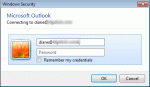
If you are receiving this error with AT&T or a Yahoo account, "L Tyler" suggests changing the POP and SMTP servers to the following names to put an end to the dialog. Incoming Mail Server: pop.mail.yahoo.com - Use Port 465 and SSL Outgoing Mail Server: smtp.mail.yahoo.com - Use Port 995, SSL and authenticate with the outgoing server AT&T changed their mail server names to … [Read more...] about Tip 918: Persistent Network Password Dialog
Tip 916: Using Additional Addresses with Hotmail Live
Hotmail allows you to configure additional addresses in your account, and you can set one as the default for new messages and replies. Alternatively, you can choose which address is used for replies. When you have more than one email account, you can have all mail delivered to a Hotmail account and reply from the additional addresses. An Outlook user had a question about … [Read more...] about Tip 916: Using Additional Addresses with Hotmail Live
550 5.7.1 Relaying denied: You must check for new mail before sending mail.
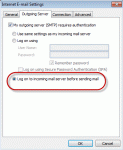
If you receive this error message: 550 5.7. < alias@domain.com >... Relaying denied: You must check for new mail before sending mail. You need to configure Outlook to check for new mail before sending mail. Lowering your "check every xx minutes" time to 8 minutes or disabling Send Immediately may reduce the frequency of this error message. This error occurs because … [Read more...] about 550 5.7.1 Relaying denied: You must check for new mail before sending mail.