![Diane Poremsky [Outlook MVP]](http://www.outlook-tips.net/images/2014/MVP_BlueOnly.png)
A reader asked: "I need to shift the NK2 file from old Exchange domain profile to a new IMAP domain profile of Google apps." That's easy (and it works for any new profile). Close Outlook then go to the folder where the new NK2 is stored (see Where are my Microsoft Outlook Files? if you need help finding it). If the Exchange NK2 is from another computer, copy it to this … [Read more...] about Tip 880: Moving an NK2 to a new profile
profiles
Use existing data file as the delivery location
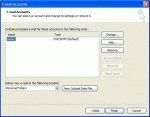
When you create a new profile or set up a new computer, you'll want to access your old email in Outlook. While you can use the File, Import and Export menu, we don't recommend it - you'll lose any custom forms or custom views you might have, along with a few other things. Outlook 2007 and Outlook 2010 There are two ways to add an existing data file to a profile in … [Read more...] about Use existing data file as the delivery location
How to create a new Outlook 2007 or 2010 profile
Need a new Outlook 2002 or Outlook 2003 profile? See Creating a New Outlook 2002/2003 Profile. For Outlook 2000, see Creating a New Outlook 2000 Profile If Outlook is open, close it. Go to Control Panel, Mail - it's in the User Accounts category or switch to Classic view. In 64-bit versions of Windows you'll find Mail under the 32 bit group. Alternately, you can … [Read more...] about How to create a new Outlook 2007 or 2010 profile
How to Create a New Outlook 2000 Profile
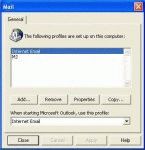
Outlook 2002/20023 and Outlook 2000/98 in Corporate/Workgroup mode allow you to have as many profiles as you want. Generally, we recommend one profile per computer user (creating a Windows user account for each user is best, especially if you use Windows XP, but more hassle if you use Windows 98/ME). If you use Outlook for personal and business email, you'll probably want two … [Read more...] about How to Create a New Outlook 2000 Profile
Create a New Outlook Profile
One of the first troubleshooting steps you should try before doing things like uninstalling and reinstalling Outlook is creating a new profile. A new profile is also recommended when you upgrade to the latest version of Outlook. Use the following steps to create a new profile using Outlook: Close Outlook. Open Control Panel and find the Mail applet. If you use the … [Read more...] about Create a New Outlook Profile