![Diane Poremsky [Outlook MVP]](http://www.outlook-tips.net/images/2014/MVP_BlueOnly.png)

I've had several people ask about moving their pst file to OneDrive and similar cloud-based services.Sorry, no can do. It won't work and could result in a corrupt data file.Outlook puts a lock on the pst file when the pst file is open. OneDrive continually syncs the local folder. It won't be able to sync correctly when Outlook is open because Outlook has a lock on the … [Read more...] about Tip 1013: Can you use OneDrive, DropBox or other cloud storage for pst files?
pst
Tip 1005: Outlook pst file size does not shrink
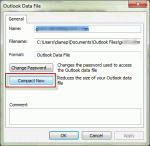
When deleting a large number of Outlook items from a pst file (and emptying the deleted items folder), many users expect to see the pst file size reflect the changes immediately. Unfortunately, that is not how it works with Outlook. I have one single .pst file of 19GB with subfolders for projects inside. Now I am making separate.pst files for individual projects so I can … [Read more...] about Tip 1005: Outlook pst file size does not shrink
How to find out if a file is marked read-only
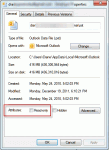
When you get a new computer and move your existing data files to it, you may get an error that the PST file is not a valid file or that the information store cannot be opened. This may mean the PST file is marked read-only.Microsoft Outlook can not be started, cannot open the Outlook window, the set of folders cannot be opened, cannot access file, you do not have the … [Read more...] about How to find out if a file is marked read-only
Delete Outlook "Ghost" PSTs by Editing the Registry
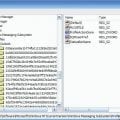
The following scenario is a very common problem. It's often caused by upgrading Outlook and not making a new profile. It generally means the profile is corrupt and although it's usually best to create a new profile (especially if you upgraded), you can try to rescue the old profile. While it's easy to screw up the profile, which will force you to make a new one, if the ghost … [Read more...] about Delete Outlook "Ghost" PSTs by Editing the Registry
Open an existing personal data file (*.pst) in Outlook
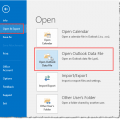
If you have an old pst or an old archive pst and you want to view your old email, you can open it in your Outlook profile. Do not use File, Import and Export menu, especially if it's an Archive pst - you may end up with duplicates and will not be able to remove them using Autoarchive (because archive uses the modified date and importing changes the modified date). Just … [Read more...] about Open an existing personal data file (*.pst) in Outlook