![Diane Poremsky [Outlook MVP]](http://www.outlook-tips.net/images/2014/MVP_BlueOnly.png)
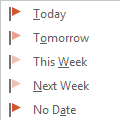
One behavior that annoyed a lot of longtime Outlook users is how Outlook handled Flag for Follow up reminders. If you used the Today flag and had reminders enabled for all tasks with a due date, Outlook set the reminder to 1 hour before the end of your business day.This behavior changed in Outlook 2007. When you use Outlook 2007, Outlook 2010, or Outlook 2013, a message … [Read more...] about Flag for Today Reminder Times
reminders
Disable reminders in Microsoft Outlook
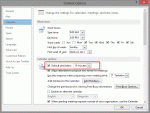
With the holidays approaching and with what seems like everyone taking the last week of the year off, it's a good time to review Outlook's reminder settings.There are several different methods you can use to disable reminders, depending on what your goal is.Do you want to stop adding reminders to new appointments and meetings?If so, you can turn reminders off in … [Read more...] about Disable reminders in Microsoft Outlook
Tip 1007: Next Week flag reminder time bug?
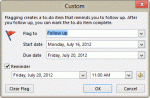
A question came up about a bug in Outlook 2010's Next week flag. An article at Office Online says the reminder on Next Week flags is the first day of the work week. But the user noticed his reminder was set for the last day of the work week. He wanted to know if the article was wrong or if this was a bug. When I tested it, the behavior in the article was correct: when I … [Read more...] about Tip 1007: Next Week flag reminder time bug?
Tip 1004: The Case of the Missing Reminder Window Solved

Over the last couple of weeks, I've had a lot of questions about Outlook reminder windows not opening or being "stuck" to the task bar. The common thread is that when the user clicks on the reminder window, it won't come up on screen.Outlook developed a problem I can't seem to get to the bottom of. The reminders window stays attached to the task bar and will only appear as … [Read more...] about Tip 1004: The Case of the Missing Reminder Window Solved
Tip 985: Do 'something' when an Outlook reminder fires

Today's tip is two handy macros that run when Outlook's reminders fire. Open a web page using a task reminder The first macro is triggered by Task reminders and loads a web page when the reminder goes off. With a little tweaking, you could use it to open almost any file type. To use, create a task with the web page url in the Subject field. Set the reminder time and … [Read more...] about Tip 985: Do 'something' when an Outlook reminder fires