![Diane Poremsky [Outlook MVP]](http://www.outlook-tips.net/images/2014/MVP_BlueOnly.png)
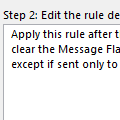
Outlook's rules are great... well, maybe good. Or just OK... I don't deny that there is room for improvement, but you can do a lot with the rules that are available. One frequent question is how to create a NOT rule - how to apply a rule to all mail that doesn't meet a condition. My Outlook provides a condition "sent only to me". I need the exact opposite condition, i.e. "NOT … [Read more...] about Tip 1104: How to create "Not" rules
rules
How to CC a copy of every message you send
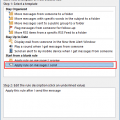
Unlike many smartphones, Outlook does not include an option to automatically CC an address on every message you send, however, you can do this easily using an After Sending rule. (If you want to BCC the messages, you need to use VBA or an Outlook add-in. Links to VBA samples and lists of add-ins are listed in More Information.)Open the Manage Rules & Alerts wizard. … [Read more...] about How to CC a copy of every message you send
Tip 1000: Using Rules Wizard for Internal Exchange Email
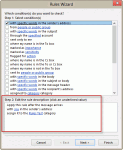
I was thinking about doing a contest or something special involving prizes to celebrate my 1000th post, but I only got as far as the thinking part... it's hard to believe I've been doing this 9 years now (as of July 14). Yes, I can do the math: 9 years x 52 weeks x 3 tips per week is a lot more than 1000 but I took some weeks off and was a slacker the rest of the time. Now … [Read more...] about Tip 1000: Using Rules Wizard for Internal Exchange Email
Tip 982: Filtering for 'where I am the only person on the To line'
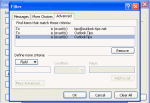
The filter rule for "where I am the only person on the TO line" only applies to the display name for the email account, not the email address. I want to create a conditional formatting view for my Inbox to highlight all messages sent only to me. I selected the box "where I am the only person on the To line" but it only applies the conditional formatting if the name is … [Read more...] about Tip 982: Filtering for 'where I am the only person on the To line'
Tip 980: Filtering Out of Office Automatic Replies
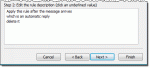
A new Outlook user wanted to know if Outlook handles Out of Office replies as well as Lotus Notes does: I migrated from Lotus Notes to Microsoft Outlook. In Notes, when you send an email you have the option for the following "Don't notify me if recipient(s) are running Out of Office" This obviously works for Internal email only and is great if you're emailing a large … [Read more...] about Tip 980: Filtering Out of Office Automatic Replies