![Diane Poremsky [Outlook MVP]](http://www.outlook-tips.net/images/2014/MVP_BlueOnly.png)
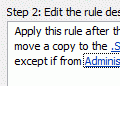
A user asked if it was possible to create a create a rule that would apply to all mail *not* from a particular user.Yes, there are two ways you can do this.The first: Create the rule and add an exception. The rule will read 'for all mail, do whatever, except if from UserA'The Second method: Use 2 rules. The first rule will be 'from UserA, stop processing more … [Read more...] about Tip 931: How to Create a Rule for All Email Except from One Sender
rules
Tip 907: Rules and Expanding Folders
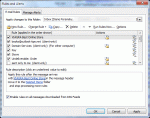
A user recently switched from POP to Exchange Server. When accessing his email in Outlook via POP, a folder would autoexpand whenever a subfolder received new message. However this does not happen with his Exchange account. "How can I get the subfolders to autoexpand when a new message arrives in one of these subfolders?" Sorry, you can't force it. The folders either expand … [Read more...] about Tip 907: Rules and Expanding Folders
Icons used in the Rules and Alerts dialog

A common question we are asked is "What does the hammer and wrench in the rules wizard dialog mean?" Each type of action used in rules uses an icon to identify the type action that is configured for the rule and the hammer and wrench icon are displayed for actions that don't have their own icon. The actions are (in the order shown in the Rules Wizard): Display … [Read more...] about Icons used in the Rules and Alerts dialog
Tip 887: Create a rule to delete messages after a week
When you want to delete messages after a period of time you have you have three options: Use Autoarchive Create a Rule and use Run Rules Now Use to a rules replacement tool such as Auto-Mate that runs its own rules later Autoarchive works great to delete old mail, empty deleted items, or the junk email folder. Set it to run frequently and to permanently delete … [Read more...] about Tip 887: Create a rule to delete messages after a week
Create a rule to filter blank senders
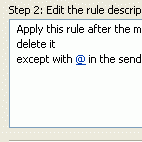
Two questions I get asked too often is "How can I filter blank senders?" and "But Outlook doesn't support a NOT rule, like Outlook Express does." Ok, so that last one isn't really a question, but it does have an answer that begins with Yes: "Yes, Outlook supports a NOT rule." Outlook uses Exceptions to provide NOT filtering and while it seems backwards to apply a rule 'to … [Read more...] about Create a rule to filter blank senders