
![Diane Poremsky [Outlook MVP]](http://www.outlook-tips.net/images/2014/MVP_BlueOnly.png)
A user had this question: Is it possible to have an email filter on Outlook that sends emails to a folder but also shows up in your Inbox so I don't miss any emails? Sure, you could do this with a rule that copies the message to another folder, but why would you want to create duplicate messages when you could use an Unread Search folder to display all unread messages in the … [Read more...] about Use an Unread Search Folder to Find Messages
search folders
Tip 1053: Create a Search folder to find older messages
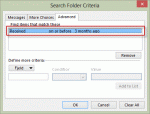
An Outlook user wanted to know how to create a custom search folder.I need a search folder which displays large e-mails received more than 3 months ago. I know how to find bulk e-mails, but what about old e-mails? I tried to filter using the "received" field, but there are no standard conditions that meet my purpose. I don't need "last week" or "last month" and while "on … [Read more...] about Tip 1053: Create a Search folder to find older messages
Tip 966: View all Unread Mail from all Inboxes
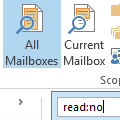
We are often asked how to create a single search folder to display all unread email across all email folders:I have several Inboxes and many more sub-folders in Outlook. I would love to be able to highlight each email account and easily scan through them all by just looking to see if I have any unread emails.There are two ways to do this in Outlook 2010 and Outlook … [Read more...] about Tip 966: View all Unread Mail from all Inboxes
Tip 913: Count the Total Number of Messages Received Today
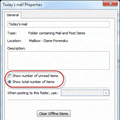
Several users wanted to know how to count the number of messages received within a period of time, usually Today. Counting the messages by hand is not a good solution as there are too many emails to manually count, plus its too slow.There is a simple way to do this in Outlook: Search folders.Right click on the Search folder and choose New Search folder. Choose … [Read more...] about Tip 913: Count the Total Number of Messages Received Today
Using Microsoft Outlook's Advanced Filters
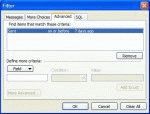
Outlook's Filter dialog gives you powerful filtering options. Once you understand how to write good filters, you can use the same criteria in Advanced Find, Views, Automatic Formatting for Views, or Outlook's Search folders. Note that you can't import/export the filters, you need to recreate them to move them between the different uses. While you can enter criteria on … [Read more...] about Using Microsoft Outlook's Advanced Filters