![Diane Poremsky [Outlook MVP]](http://www.outlook-tips.net/images/2014/MVP_BlueOnly.png)
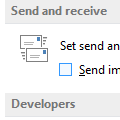
Outlook Express's best feature was that EVERYTHING went into the outbox and stayed there until you hit send/receive. That way, you had a chance to think before the message was actually sent, and time to correct or delete it. How do I make Outlook do the same?You can configure Outlook so that it does not Send Immediately, then it will work just like OE did.Go to … [Read more...] about Manually Send and Receive in Outlook
send & receive
Tip 1073: Easily disable e-mail accounts
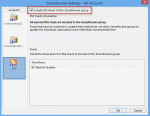
I use Outlook 2010 with multiple e-mail accounts. When I travel, I do not need to download all of the e-mail from all of the accounts. Is there an easy way to disable the e-mail accounts I do not want to collect mail for? Sure. For an occasional trip, open the Send and Receive dialog using Ctrl+Alt+S.Select the Send and Receive group Click Edit Select the … [Read more...] about Tip 1073: Easily disable e-mail accounts
Tip 1065: Outlook 2010 & Windows 8 Send/Receive Slow

I'm seeing reports that Outlook 2010 on Windows 8 is very slow to send and receive. It's fine when the computer is first booted, but after several hours it slows appreciably. All of the reports mention Outlook 2010 on Windows 8, but all versions of Outlook may be affected.Outlook works fine in Safe mode. All of the affected users have Norton installed and Outlook works … [Read more...] about Tip 1065: Outlook 2010 & Windows 8 Send/Receive Slow
Tip 1061: Skype 6 and new mail alerts (Fixed)

Skype is replacing Windows Messenger. Microsoft is pushing everyone to upgrade Messenger to Skype before they pull the plug on Messenger, but Outlook users may want to avoid Skype 6.1... users are reporting that new mail alerts are not working when it's installed.Fixed in Skype 6.2Microsoft is aware of the problem and are investigating.As a workaround, you can … [Read more...] about Tip 1061: Skype 6 and new mail alerts (Fixed)
Tip 971: Schedule Send and Receive During Certain Hours
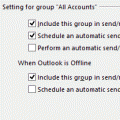
An Outlook user had this question:Is there a way to set Outlook to send/receive only during certain hours of the day? I access a POP3 account on both my iPhone and Outlook. Because it's pulled into both, I end up having to delete mail from that account on both. I thought if I could set Outlook to only send/receive during business hours, when I'm at the PC, mail I delete on … [Read more...] about Tip 971: Schedule Send and Receive During Certain Hours