![Diane Poremsky [Outlook MVP]](http://www.outlook-tips.net/images/2014/MVP_BlueOnly.png)
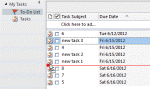
We also get a lot of questions asking how to re-order Tasks, or more accurately, why users can no longer re-order Tasks. This is usually caused by changing the view so my first suggestion is verify you are using the Simple or Detailed view then reset the view.There are two ways to re-order tasks: change the sort order or drag the tasks up and down the list. Drag to reorder … [Read more...] about Drag to Reorder the To-Do List
tasks
Sorting the Task List in Outlook’s Calendar
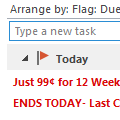
An Outlook user had a question about the Task List that appears at the bottom of the Day or Week calendar view:I would like to see more columns (e.g. task priority) in the task section of calendar view (in e.g. weekly view mode) and sort the tasks in that list (e.g. by priority). Currently you can drag and drop to sort the order, but that's not much use if you can't see the … [Read more...] about Sorting the Task List in Outlook’s Calendar
Flag for Today Reminder Times
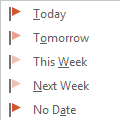
One behavior that annoyed a lot of longtime Outlook users is how Outlook handled Flag for Follow up reminders. If you used the Today flag and had reminders enabled for all tasks with a due date, Outlook set the reminder to 1 hour before the end of your business day.This behavior changed in Outlook 2007. When you use Outlook 2007, Outlook 2010, or Outlook 2013, a message … [Read more...] about Flag for Today Reminder Times
Tip 1119: Mark Outlook Tasks Complete in Task Peek
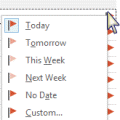
In Outlook 2010 I could right-click on a Task in the To-Do Bar and select Mark Complete to complete a task. When I try this in Outlook 2013, the options are: Copy, Quick Print, Reply, Reply All, Forward, Assign Task, Rename Task, Categorize, Follow Up, OneNote, Delete. Am I missing something or is this option no longer available?I'm going to assume you know that Follow Up … [Read more...] about Tip 1119: Mark Outlook Tasks Complete in Task Peek
Understanding Tasks and To-Do List
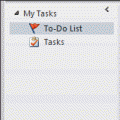
Please note that this page refers to the To-Do List at the top of the Tasks module in Outlook desktop. This article was originally written in 2012, long before Microsoft created the new To-Do app, which is a new interface to Outlook Tasks.I had a couple of questions about the To-Do List and Task List recently. The users were confused about the differences between the two … [Read more...] about Understanding Tasks and To-Do List