![Diane Poremsky [Outlook MVP]](http://www.outlook-tips.net/images/2014/MVP_BlueOnly.png)

Outlook contacts have (or had) a feature called Activities that show all Outlook items associated with a contact. This feature was depreciated and is more or less broken in Outlook 2010; it's removed completely from Outlook 2013. The replacement is the people pane in the Social Connector.While I like the people pane search, it's limited in that it only displays 200 … [Read more...] about Tip 1054: Search for all messages from a contact
vba
Tip 1006: Scheduling Outlook rules to turn on and off automatically
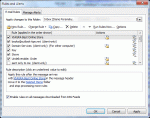
A popular request made by Outlook users is the ability to enable or disable Rules based on the time. I want to turn this rule on when I leave the office and off when I return. I want to run this rule only between 10 AM and 4 PM. Unfortunately, Outlook doesn't have an option to run rules at specific times. If you don't want to run a rule, you need to open Rules Wizard and … [Read more...] about Tip 1006: Scheduling Outlook rules to turn on and off automatically
Tip 991: Ending a recurring series of appointments and keeping the exceptions
I've heard a lot of complaints from users over Outlook's poor handling of recurring appointments and meetings over the years, especially when it comes to ending a series early.At least Outlook warns you before you do something stupid:Exceptions occur either when you move an occurrence to another time or date or when you edit an occurrence.The recommended … [Read more...] about Tip 991: Ending a recurring series of appointments and keeping the exceptions
Tip 985: Do 'something' when an Outlook reminder fires

Today's tip is two handy macros that run when Outlook's reminders fire. Open a web page using a task reminder The first macro is triggered by Task reminders and loads a web page when the reminder goes off. With a little tweaking, you could use it to open almost any file type. To use, create a task with the web page url in the Subject field. Set the reminder time and … [Read more...] about Tip 985: Do 'something' when an Outlook reminder fires
Tip 959: Changing the Font used for Outlook's RSS Feeds
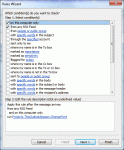
Note: this works only in Outlook 2010 as written, because Outlook 2007 does not support PostItem in Run a Script. We're working on a version for Outlook 2007 that uses ItemAdd handler. We have a code sample that works on RSS feeds delivered to a single folder at Slipstick.com. Today's tip is one that I expect only a few people will care about... heck, it's not something … [Read more...] about Tip 959: Changing the Font used for Outlook's RSS Feeds