![Diane Poremsky [Outlook MVP]](http://www.outlook-tips.net/images/2014/MVP_BlueOnly.png)
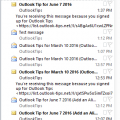
I receive a lot of complaints about the change in the unread message preview option introduced in Outlook 2013. In Outlook 2010 and older, you could show a 3 line preview of Unread messages and no preview for read messages. In Outlook 2013, this was changed to an option of 1, 2 or 3 lines but applies to all messages, read or unread and not everyone likes this change.I spent … [Read more...] about Show AutoPreview for Unread Messages
views
Setting a fixed Column Width in Outlook
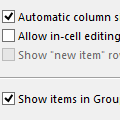
Sometimes when I slide the width of the columns (from, to, date, etc) all of the individual column widths are stretched. Sometimes they are fixed width - I want that because when they stretch I need to resize all of the columns. How can I force a fixed width? Selecting fixed width in View Settings doesn’t do it.Open View Settings, Other Settings and uncheck Automatic … [Read more...] about Setting a fixed Column Width in Outlook
Group by Category and Sort by Date
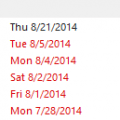
I have several categories of tasks and use the Categories arrangement but I find that my tasks are sorted in a random way. Is there a way to sort by Due Date within the category?Sure. As you've noticed, if you try sorting by Due Date or click the Due Date button in Arrangement, you lose the Category grouping, but by editing the view you can make it do exactly what you … [Read more...] about Group by Category and Sort by Date
Outlook Status bar: Filter applied, no total or unread counts
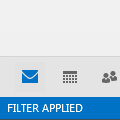
I’m often asked about the “Filter Applied” notation in the status bar of Outlook 2010 and Outlook 2013. The person often insists they did not apply a filter to the view and don't understand why it's there.When I right-click on the status bar, Filter is unchecked, but shows "filter applied". Both "items in view" and "unread items in view" are checked but do not show … [Read more...] about Outlook Status bar: Filter applied, no total or unread counts
Tip 1093: Status Bar View shortcut icons override display settings
Outlook 2010 and 2013 have View buttons in the Status bar that switch from the "normal" view to a view better suited for reading, with the Navigation Bar, To-Do Bar, and ribbon minimized and a wider reading pane.In Outlook, when I change views using status bar View shortcuts icons, the ribbon is always shown, regardless of if it was shown or hidden. This is annoying if … [Read more...] about Tip 1093: Status Bar View shortcut icons override display settings