
![Diane Poremsky [Outlook MVP]](http://www.outlook-tips.net/images/2014/MVP_BlueOnly.png)

There are a number of articles on the web with instructions on what you need to do to access a deceased family member's Microsoft Outlook.com account. The instructions include contact information that is not longer in user and instructions to send copies of the death certificate by email or fax.Unfortunately, that information is very old and outdated. It's no longer valid … [Read more...] about What happens to Outlook.com account when a family member dies?
Tips Archive
Too much white space in Outlook
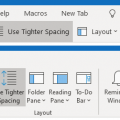
As Outlook updates are installed this week I'm seeing a lot of questions that go something like this: Overnight, Outlook changed dramatically. There is way too much white space between the messages in my inbox and the To/CC and subject area in new messages is huge. What happened and how do I get rid of all that annoying white space? This is due to some changes to the "new" … [Read more...] about Too much white space in Outlook
Prevent Accidentally Sending an Email Message
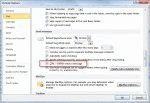
It's easy to accidently send a message if you hit the wrong key combination. Ctrl+Enter and Alt+S will both send messages.Outlook has an option to enable/disable Ctrl+Enter for send. In addition, the first time you press Ctrl+Enter while composing a message, Outlook will ask if you want to turn it on.The option to disable Ctrl+Enter is File, Options, Mail, near the … [Read more...] about Prevent Accidentally Sending an Email Message
Change your password in Outlook 2016
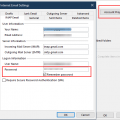
With Outlook’s new simplified Account Setting dialog, users have discovered the password field and server settings are no longer accessible through the File, Account Settings dialog. While Outlook will ask you to enter the password on the next send and receive, you can use the Reset Mail Settings button in the bottom left of the dialog to reset the account. If you want to check … [Read more...] about Change your password in Outlook 2016
Can't Print in Outlook?
Are you having problems printing from Outlook? Try deleting the OutlPrnt file - it's kept in C:\Users\%username%\AppData\Roaming\Microsoft\Outlook in Windows 7 and newer. This file holds information about print configurations and customizations.You can jump to the folder where OutlPrnt is, open Windows Explorer then type or paste %appdata%\Microsoft\outlook into the … [Read more...] about Can't Print in Outlook?