![Diane Poremsky [Outlook MVP]](http://www.outlook-tips.net/images/2014/MVP_BlueOnly.png)
This problem was fixed in one of the July 2013 updates. Verify Office is updated from File, Office Account, Update Options. You should have version 15.0.4535.1511 or higher.
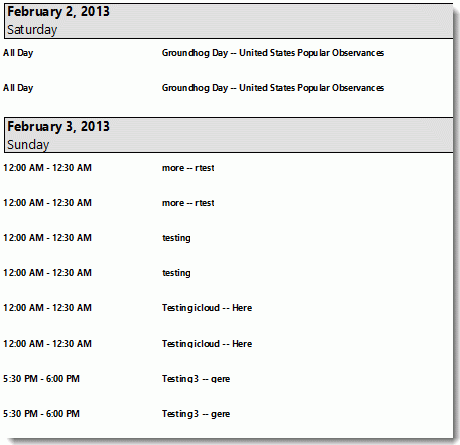
Users are discovering that in Outlook 2013, appointments are duplicated when you use the Calendar details style.
If you prefer to use the Calendar Printing Assistant for Outlook, it should work with Outlook 2013 if you have the all updates installed.
Published February 7, 2013. Last updated on November 12, 2013.
