![Diane Poremsky [Outlook MVP]](http://www.outlook-tips.net/images/2014/MVP_BlueOnly.png)
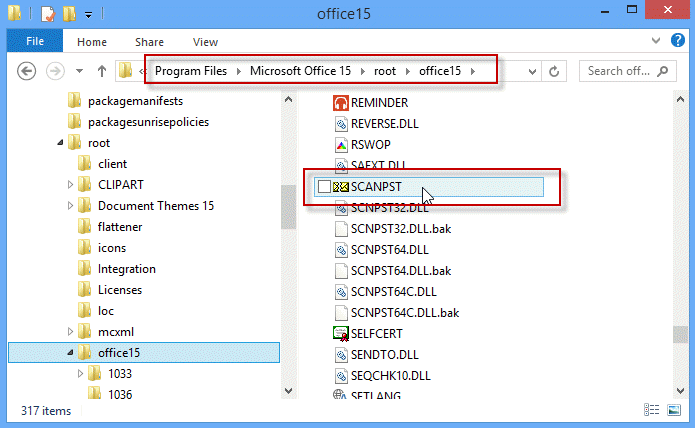
I'm starting to see questions from Outlook 2013 users who are trying to use scanpst and are unable to find it. Scanpst was not removed from Outlook 2013 C2R and you can find it in under the Office installation folders, which are different in the click-to-run versions.
When the click to run version is installed, scanpst is under the root directory in the install path.
C:\Program Files\Microsoft Office 15\root\office15\scanpst.exe
In the traditional installation using an MSI, scanpst is in the usual location under the Office folder:
C:\Program Files\Microsoft Office\Office15\scanpst.exe
Note: searching for scanpst in the Charm search on the Windows 8 Start Screen won't find scanpst. Using Windows Explorer search should find it.
Published March 18, 2013. Last updated on March 18, 2013.