![Diane Poremsky [Outlook MVP]](http://www.outlook-tips.net/images/2014/MVP_BlueOnly.png)
Activities is available in Outlook 2010 and older, however, only Outlook 2007 and older allow you to select the folders to search for Activities.
After trying yesterday's tip, a few people couldn't see the spouse and children's birthday events on the activities tab of the associated contact.
This is because the calendar is either not being indexed by Activities or you have a lot of items for Outlook to index.
Try selecting Upcoming tasks and appointments in the Show: dropdown.
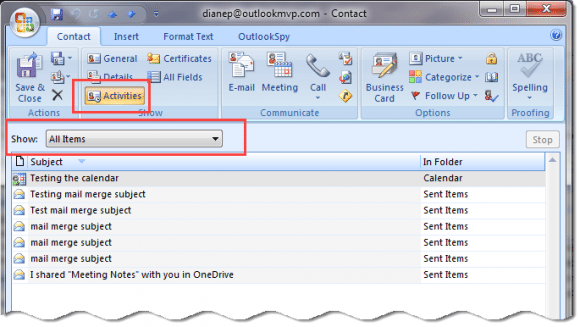
If the associated birthday events aren't shown when Outlook is finished searching, check the folder's Activities tab.
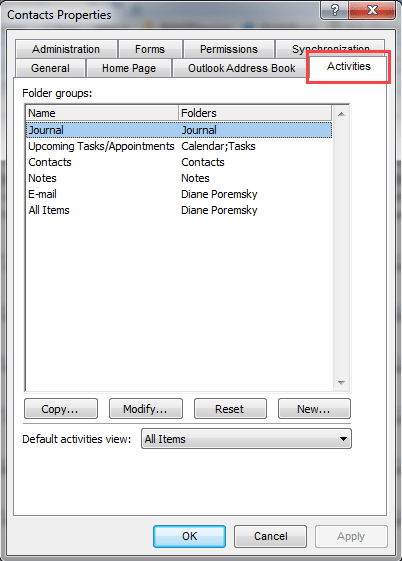
Right click on the contacts folder and choose Properties then select Activities. You can add or remove folder groups from this list. The All items group includes every folder in your message store – you can remove folders from this group, if desired, by clicking Modify and selecting specific folders to search.
Published August 24, 2005. Last updated on September 7, 2016.