![Diane Poremsky [Outlook MVP]](http://www.outlook-tips.net/images/2014/MVP_BlueOnly.png)
Speaking of printing calendars in color, the Calendar Printing Assistant uses the color of the calendar in the left bar, not color categories, in its printout.
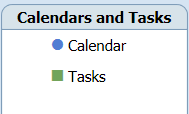 If you add 3 calendars or task folders, the items in those calendars or tasks folder will be colored to match the calendar color in the left bar, not their assigned color categories.
All day events are shaded as in Outlook, while timed appointments are identified with a colored bullet shape.
As with other calendars and some printers, B&W rules.
Published August 14, 2008. Last updated on October 17, 2013.