![Diane Poremsky [Outlook MVP]](http://www.outlook-tips.net/images/2014/MVP_BlueOnly.png)
Activities is available in Outlook 2010 and older.
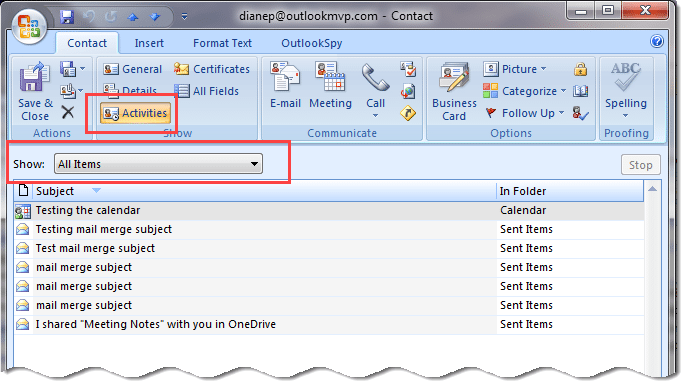
The Activities tab on Contacts is a source of confusion for many users – they worry that forwarding the contact includes Activity information from their own computer.
It does not.
Activities uses an Advanced Find to show all the Outlook items in your mailbox associated with the contact. If you forward the contact to another user and they have information on the Activities tab, it’s because they have messages or other items in their Mailbox from the contact.
Published August 21, 2008. Last updated on September 7, 2016.