![Diane Poremsky [Outlook MVP]](http://www.outlook-tips.net/images/2014/MVP_BlueOnly.png)
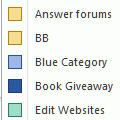
You can save your custom Outlook categories by exporting a registry key.
Outlook 2000
HKEY_CURRENT_USER\Software\Microsoft\Office\9.0\Outlook\Categories
Outlook 2002
HKEY_CURRENT_USER\Software\Microsoft\Office\10.0\Outlook\Categories
Outlook 2003
HKEY_CURRENT_USER\Software\Microsoft\Office\11.0\Outlook\Categories
Right click on the Categories folder and choose Export.
To restore it double click the *.reg.
Note that the key does not exist until you create a custom category.
Published November 25, 2003. Last updated on May 16, 2011.