![Diane Poremsky [Outlook MVP]](http://www.outlook-tips.net/images/2014/MVP_BlueOnly.png)
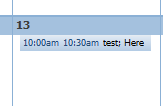
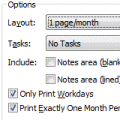
You can print a monthly calendar without end times provided the daily cells are narrow or you can disable Show end times. To disable Show end times, right click on the Calendar grid and choose Other Settings then untick the Show End time option.
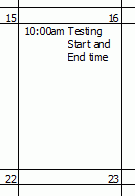 Whether start times display depends on your Outlook version and which updates are installed.
The old trick of adjusting the calendar on screen so you can't see the start time then printing won't work in newer versions of Outlook. You're stuck with the start times.
See Calendar Printing Tools for a Word template that creates a great calendar.
Older versions: If there is room for more for than 8 characters of the subject, the start times will display. To make the cells smaller, use portrait layout, smaller paper, or change the margins in Page setup. If you print only the weekdays, switch to include weekends.
Published December 10, 2010. Last updated on November 9, 2012.