![Diane Poremsky [Outlook MVP]](http://www.outlook-tips.net/images/2014/MVP_BlueOnly.png)
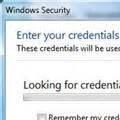
A user was unable to connect to their Microsoft Exchange using Outlook Anywhere - as soon as he enabled cached exchange mode and restarted Microsoft Outlook 2010 it hung with the "Looking For credential tiles" message. For this user, Outlook 2010 works fine without cached mode enabled. It's just when cached mode is enabled that it brings up this message. This message is … [Read more...] about Outlook 2010 keeps looking for credential tiles?
accounts
What is the SRS file? (And where is it?)

I frequently tell people to "delete the SRS" to fix problems with send and receives, especially when Outlook crashes when they try to view the Send and Receive menu or do a send and receive. If you haven't guessed yet, SRS is the send and receive settings file. It holds the configurations found in the Send and Receive dialog that comes up when you press Ctrl+Alt+S. I have no … [Read more...] about What is the SRS file? (And where is it?)
How to always reply using a different email account
If you have two (or more) email accounts collecting email and always want to send replies using the default account, Outlook always uses the receiving account when you reply. You can select the correct sending account when you reply, but it's easy to forget to do this. Is there a better way? Yes, provided you never want to send messages using the second account, you … [Read more...] about How to always reply using a different email account
Tip 773: Accounts & Signatures
When you use Outlook 2003 with Word as your editor or Outlook 2007 / 2010 / 2013, you can assign a signature to each account and Outlook will use the correct signature when you change accounts. In Tools, Options, Mail format tab, Signatures (Outlook 2003/2007) select *each* account from the dropdown account list and assign a signature. In Outlook 2010 and 2013, go to File, … [Read more...] about Tip 773: Accounts & Signatures
Tip 769: Crash on Reply or Forward
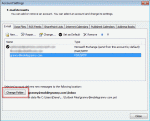
I’ve heard a lot of complaints about Outlook 2010 crashing on a reply or forward. This is caused by not having a folder set as the default delivery location for the account.With Outlook closed, go to Control panel, Mail and select Show Profiles.Select your profile and click Properties button, then E-mail Accounts.On the E-mail tab, select your POP3 account, and … [Read more...] about Tip 769: Crash on Reply or Forward